Therapy No-Shows: Prevention, Scripts, and Backup Scheduling
A single no-show doesn’t just cost one session — it costs the productivity math for the entire day. Since most schedules aren’t built with slack for unfilled gaps. Reducing no-shows is one of the most direct ways to protect your numbers without seeing more patients.
Why Reminders Alone Aren’t Enough
Most clinics already send automated reminders, and no-shows still happen. That’s because a generic reminder (“You have an appointment tomorrow”) doesn’t address the actual reasons patients skip: forgetting, deprioritizing, or simply not feeling the appointment is urgent. Research from AHRQ on patient engagement consistently shows that specificity in reminders outperforms generic scheduling notices.
A Reminder Cadence That Works
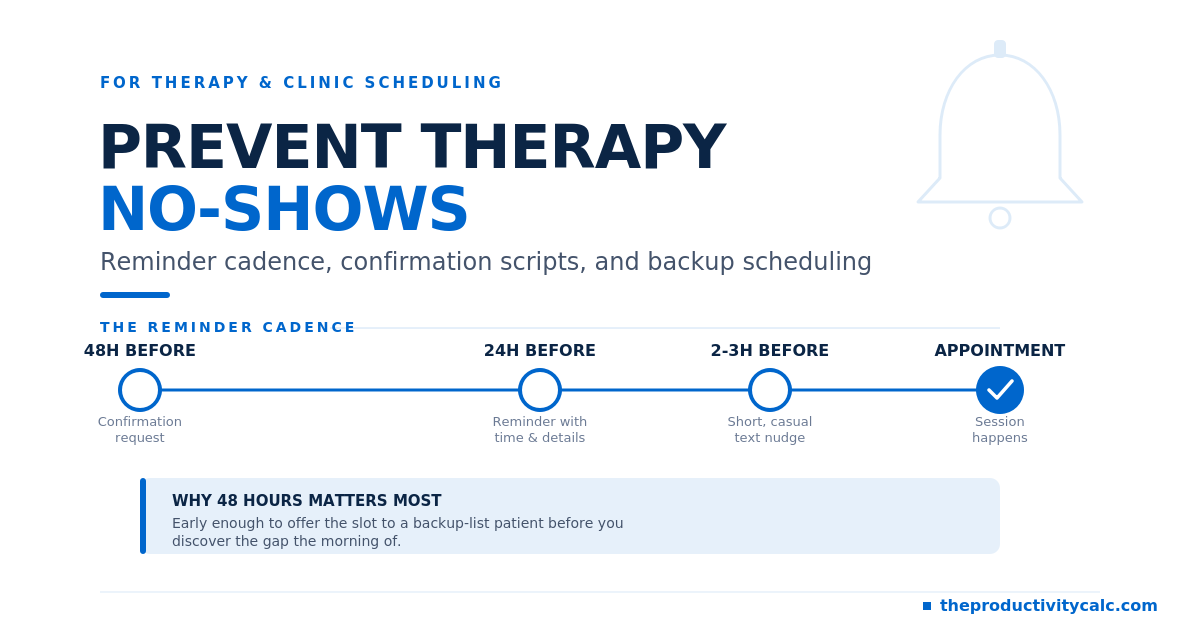
- 48 hours before: Confirmation request with a clear yes/reschedule action
- 24 hours before: Reminder with specific time and what to bring/expect
- 2–3 hours before: Short, casual nudge (text-length, not email-length)
The 48-hour confirmation step matters most — it’s early enough to fill the slot with another patient if someone cancels, rather than discovering the gap the morning of.
Confirmation Scripts That Get a Response
Generic reminders get ignored; specific ones get answered. A few structural tweaks:
- Ask a direct question (“Can you confirm you’re still good for Thursday at 2 pm?”) rather than stating information passively
- Make rescheduling as easy as confirming — a one-tap reschedule link removes the friction that turns a “can’t make it” into a silent no-show
- Keep it short — a two-line text outperforms a paragraph for response rate
Backup Scheduling: A Waitlist That Actually Works
Even with strong reminders, some no-shows are unavoidable. A lightweight backup system limits the damage:
- Keep a short list of patients who’ve expressed interest in earlier or additional slots
- When a 48-hour confirmation comes back as “can’t make it,” offer that slot to the backup list immediately — not at the end of the day
- Track how often backup fills succeed; adjust list size based on your typical fill rate
It’s easy to underestimate how much no-shows affect your numbers until you see it directly. Compare a week with typical no-show rates against a week with strong backup-fill using a productivity percentage calculator.